Phone guide · Published
Why the Xiaomi 18 Pro Has a Screen on the Back
Turn the Xiaomi 18 Pro around and you can see what its rear cameras see. That little display is a viewfinder, which solves a familiar problem if you film alone or want a group selfie with the main camera.
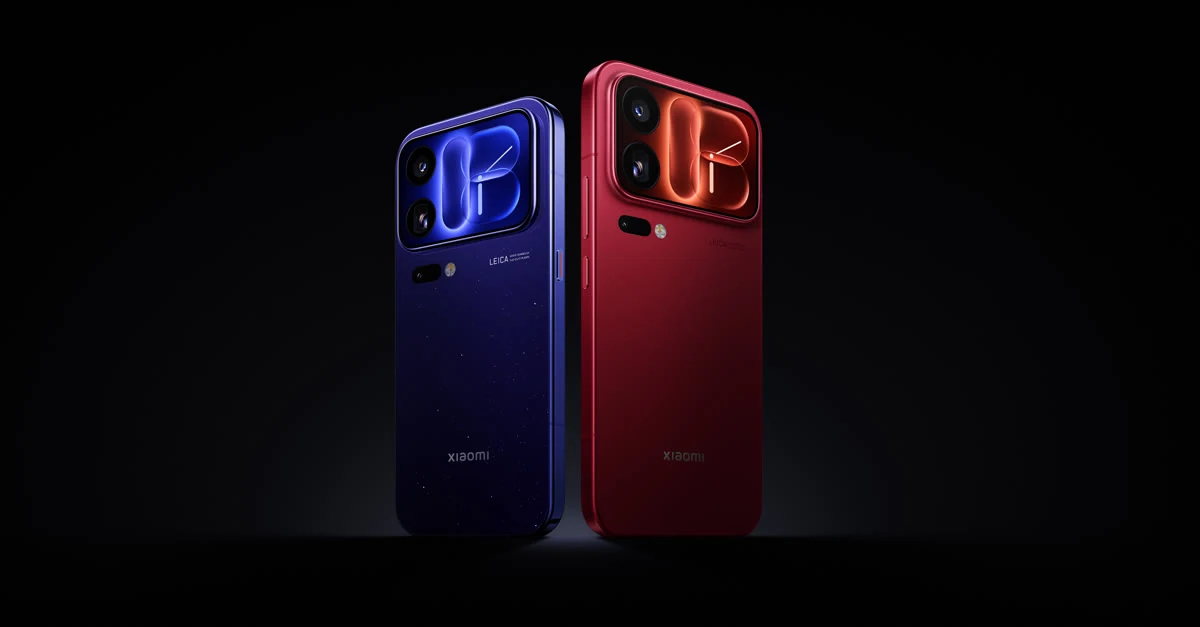
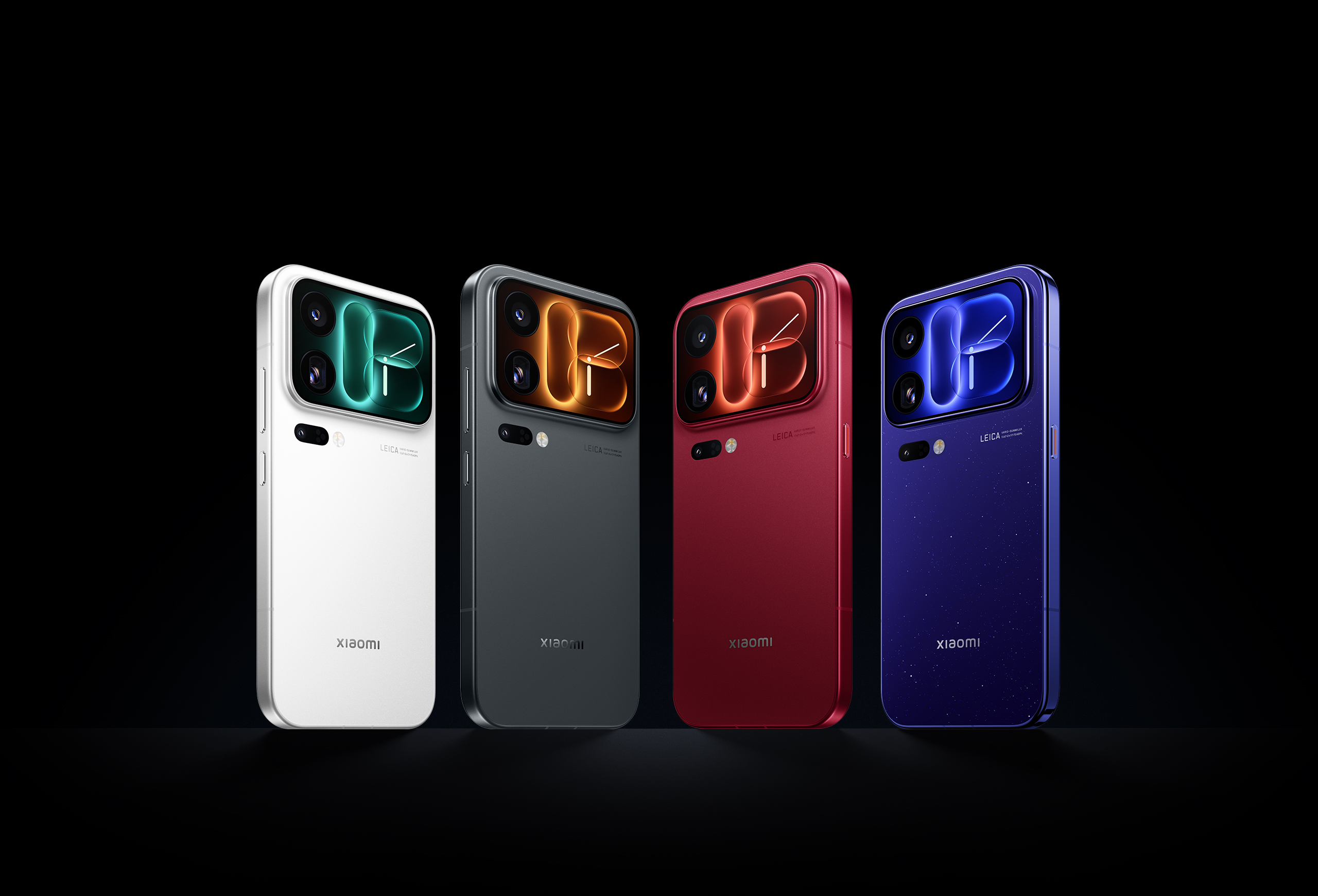
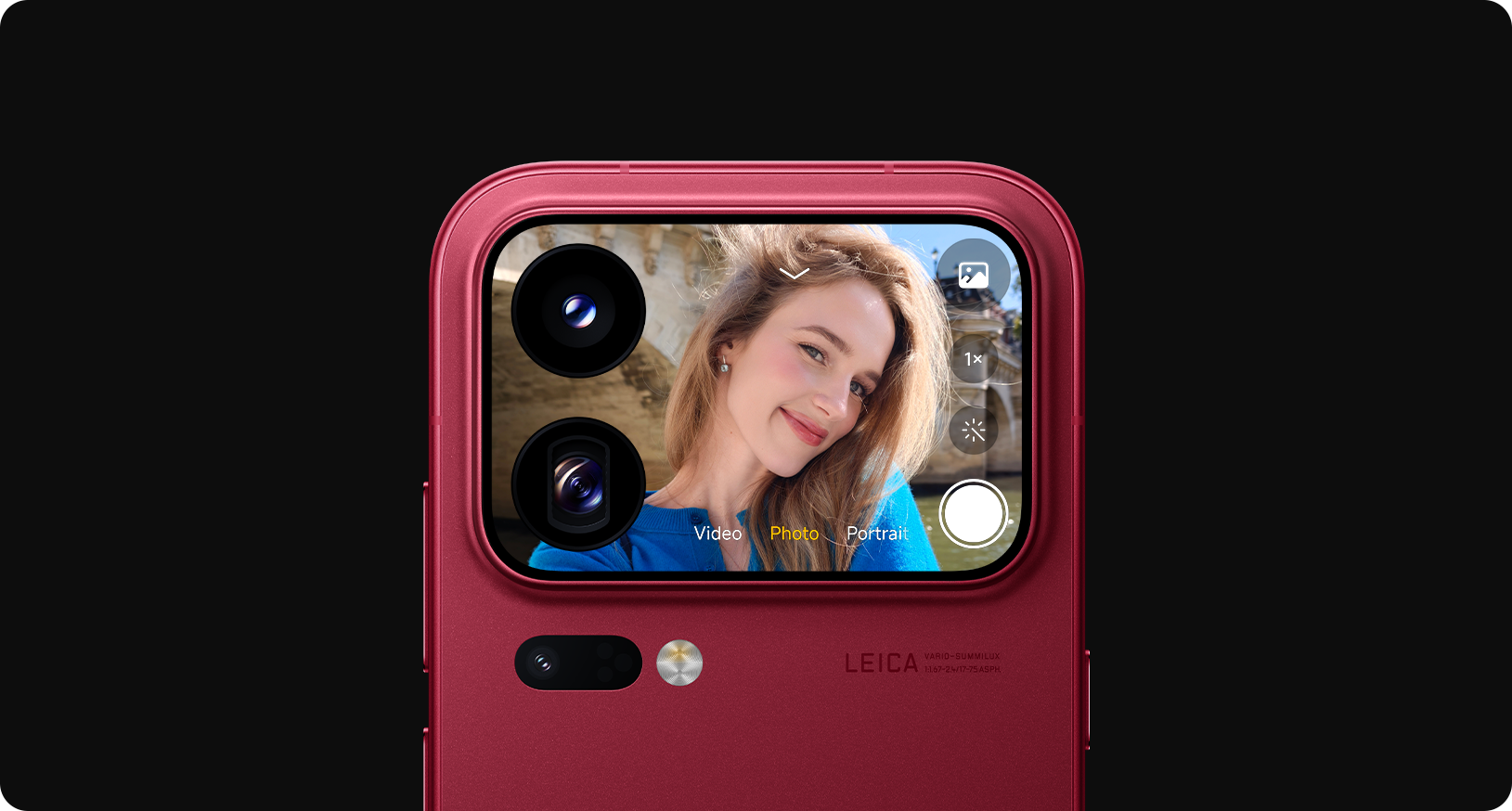
Frame a selfie with the rear camera
On a typical phone, turning the main camera toward yourself also turns the viewfinder away. Xiaomi puts a live preview beside the rear cameras so you can see whether you’re centered and who’s in the frame. Xiaomi also describes an open-palm gesture that starts the countdown, useful when the phone is propped up across the table.
The camera setup includes a 200 MP main camera, a 200 MP telephoto and a 50 MP ultra-wide. Xiaomi says the group-photo feature can switch to the ultra-wide to fit more people. The viewfinder is what makes those rear cameras easier to use from in front of the phone.
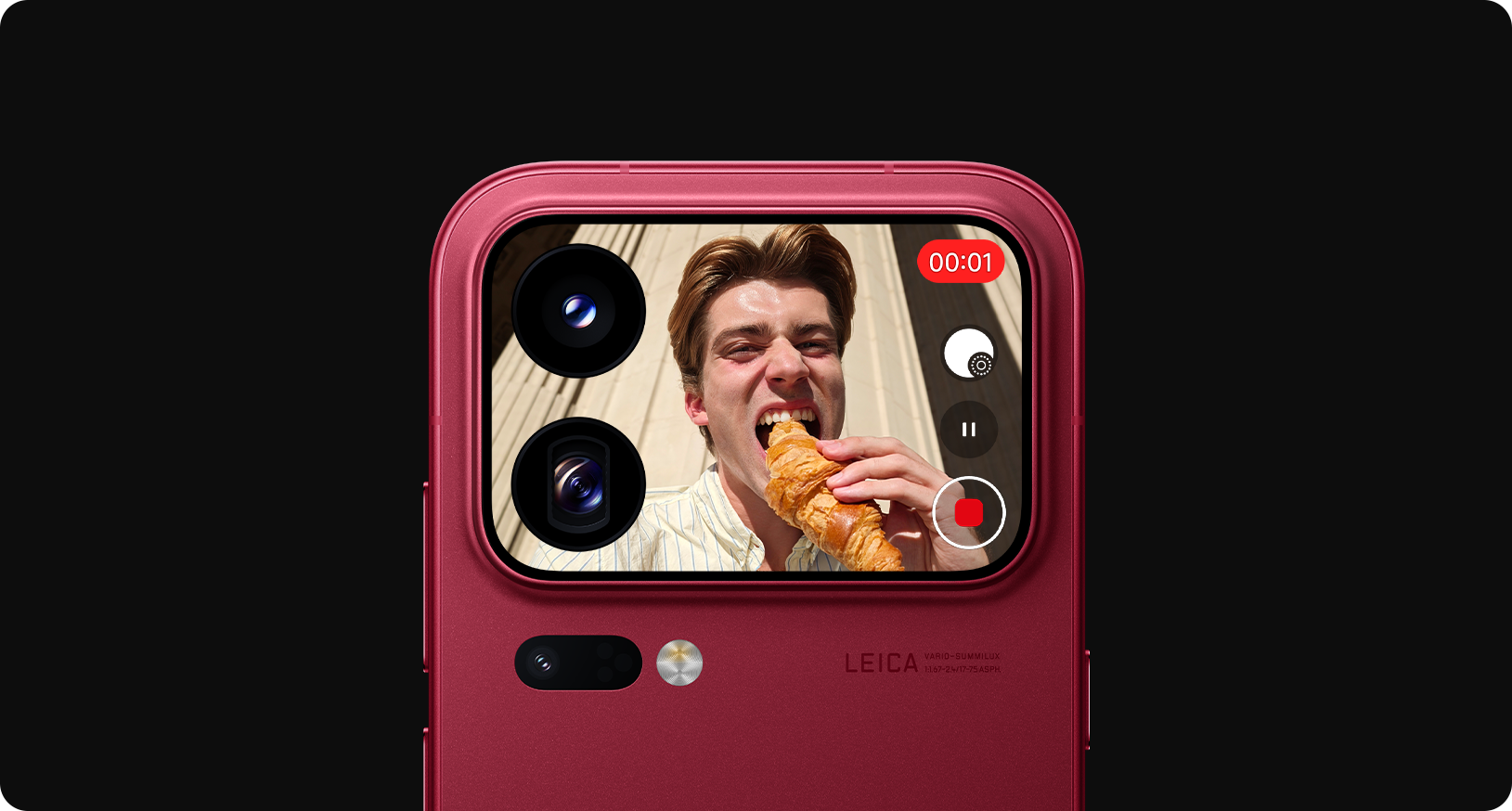
Check your framing when filming alone
If you shoot talking clips with the phone on a stand, turn the rear camera toward yourself and use the small display to check headroom before you record. You can also use it for a quick glance at notifications or activity updates when the phone is face down.
It's still a tiny screen. You can check framing at arm's length, but reading text or adjusting settings from farther away may call for a larger preview.
Would a flip phone do the same job?
A flip phone with a suitable outer-screen camera preview can serve the same basic purpose. Its hinge can also act as a stand for some shots. The Xiaomi offers a rear preview on a conventional phone body. If you often film or take group shots, either design is worth comparing. If you mostly use the front camera for calls, you may rarely reach for a second screen.